© 2026 Saad Web Designer | All Rights Reserved


Brooklyn, NYC
What Is Website Maintenance and Why Is It Important?
Website maintenance is the continuous process of securing, updating, monitoring, testing, and improving the website after launch. It ensures that your website remains secure, functional, fast, up to date, and accessible to visitors after launch. For businesses in NYC, regular maintenance helps prevent technical problems that interrupt important business functions working properly. Regardless of the size and type of your business, ongoing maintenance will protect the initial investment you have made in your digital business development. Let’s explore deeply in the following Website Maintenance Guide .
What’s included in website maintenance
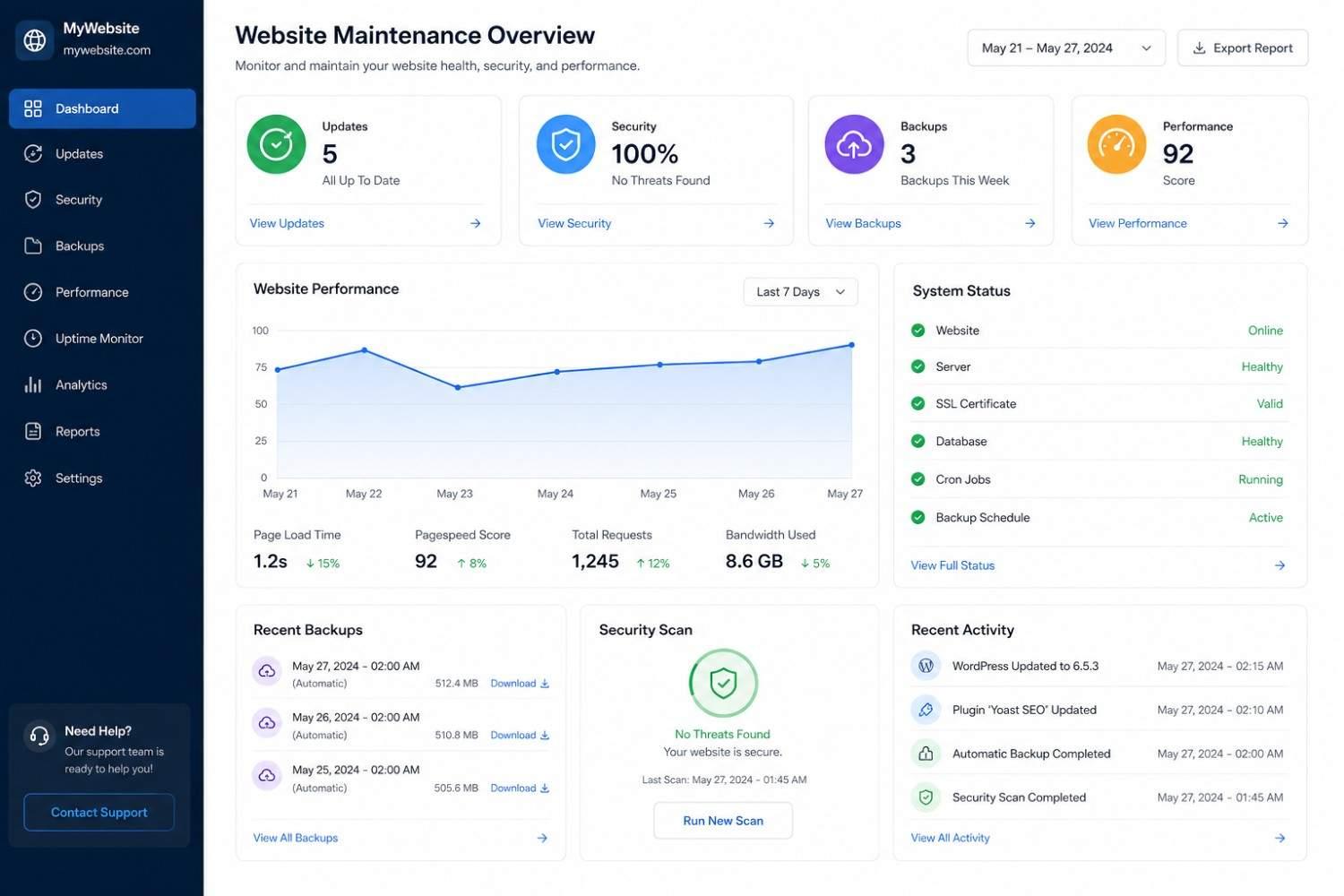
Website maintenance covers several areas, including security, software updates, performance, content, and website functionality. The main tasks in website maintenance include the following:
Ongoing maintenance is needed for all websites, but the intensity of maintenance depends heavily on the type and size. Such as 5 pages website doesn’t require enhanced services, while an e-commerce store with hundreds of pages and thousands of products, with its payment and shipping integrations, requires more of them. For Why WordPress Is A Popular Platform For Business Websites, maintenance typically includes updating WordPress core, plugins, and themes, creating backups, checking for broken links, reviewing Site Health, removing unnecessary components, and testing important functionality.
Technical maintenance
● CMS/core updates
● Plugin/theme updates
● Broken-link checks
● Error monitoring
● Database maintenance
Security maintenance
● Security updates
● Vulnerability monitoring
● Access/account reviews
● SSL/HTTPS checks
● Backups
Performance maintenance
● Page speed
● Image optimization
● Caching
● Server response
● Mobile performance
Content and UX maintenance
● Updating business information
● Testing forms
● Updating images
● Checking navigation
● Mobile responsiveness
Why NYC businesses need website maintenance
New York businesses need ongoing maintenance to perform optimally at all times. A website might look okay and function well, but problems might arise deep down. These problems must be checked regularly and improved before they turn into bigger ones and compromise the functioning of your online presence. The problems might involve a plugin becoming outdated and incompatible, forms not receiving enquiries, a page showing a broken link, or the software becoming outdated that develops security concerns.
What regular maintenance can bring to your business
1. It helps to improve security:
Websites are built with multiple components, and these components get updates when threats are detected. The components include content management systems, plugins, themes, JavaScript libraries, server software, and third-party integrations.
A WordPress website can have the following maintenance factors:
● Keeping WordPress core updated
● Updating plugins and themes
● Removing unused plugins and themes
● Reviewing administrator accounts
● Using strong authentication practices
● Monitoring suspicious activity
● Maintaining current backups
● Checking HTTPS/SSL configuration
● Reviewing security warnings
Regular security can not guarantee that the website won’t be compromised, but can save you from facing known vulnerabilities and help identify problems before they can cause big damage.
2. It consists of regular backups that can secure your website
Having a reliable backup can provide you with a recovery option so that you don’t lose any important data regarding your business. The WordPress backup consists of both website files and the database. The database has the site’s content, while files have other essential elements such as plugins, themes, uploads, and configuration files. A professional backup includes:
1. Regular automated backups are done according to the number of times the site is changed.
2. Create a fresh backup before major updates, migrations, configuration changes, or other high-risk work.
3. A backup that has never been tested is not the same as a verified recovery plan. Periodically test whether the backup can actually be restored.
4. Copies are saved separately from being on live website.
5. Periodic testing to check if the backup is going well.
Many businesses often don’t pay attention to periodic testing as they believe they are safe from potential risks. However, that can’t always be the case. A frequently updated website or an online store needs as many backups as it can to become protected from any crisis.
3. It reduces downtime and function failure
Website downtime doesn’t always occur due to major server failure. Sometimes it can take place due to technical problems occurring. They can be:
● A contact form stops sending emails.
● A payment gateway becomes incompatible.
● A booking calendar stops working.
● A plugin update causes an error.
● A critical page returns a 404 error.
● A third-party integration stops communicating with the website.
These problems can be detected through ongoing testing. A website can be technically online while an important business function is broken. If you own a lead generation website, you can simply submit the contact form and make sure it delivers to the exact email address. For an e-commerce website, testing can involve: product searches, cart functionality, checkout, payment processing, order notifications, and transactional emails. You have to make sure that users can take the action the website is made for instead of checking if the website is online.
4. It delivers accurate content
Maintenance is not limited to technical issues or the website not functioning properly. But you also need to check the content it delivers. Assume a website is displaying the wrong or outdated information; users will feel that the information is current. Business information should be reviewed regularly and whenever something changes. High-change websites, such as e-commerce stores, restaurants, news sites, and businesses with frequently changing services or offers, may need much more frequent content checks.
5. It supports better performance
A website can fail to perform if large images, unnecessary scripts, excessive plugins, third-party tools, inefficient code, database issues, or hosting limitations are detected. By doing regular website maintenance, you can detect the actual problem behind the low performance of the website and can improve it promptly. Performance testing includes:
● Better information architecture
● Mobile performance
● Image sizes and formats
● Unnecessary scripts
● Plugin usage
● Caching configuration
● Server response time
● Database health where applicable
● Third-party services
Google's Core Web Vitals provide standardized metrics for assessing important aspects of page experience, including loading performance, responsiveness, and visual stability. The current metrics are Largest Contentful Paint (LCP), Interaction to Next Paint (INP), and Cumulative Layout Shift (CLS). Learn more about How Core Web Vitals Affect Your Website's Rankings.
6. It provides an ideal user experience
Users expect websites to load properly, work well on mobile devices, provide readable content, and make important actions such as contacting a business or completing a purchase straightforward. Implementing Responsive Web Design can further improve usability across different screen sizes. NYC’s website maintenance services can help fix:
● Broken navigation
● Missing images
● Poor mobile layouts
● Incorrect buttons
● Broken forms
● Slow pages
● Outdated content
● Confusing redirects
● Accessibility-related problems
What is the relationship between website maintenance and SEO
Website maintenance can support SEO by helping identify:
● Broken internal links
● 404 errors
● Incorrect redirects
● Slow pages
● Mobile issues
● Crawl-related technical problems
● Unavailable pages
● Outdated content
However, maintenance is not a substitute for SEO. SEO also involves search intent, content quality, site architecture, internal linking, structured data where appropriate, authority, and other factors.
How often does a website need maintenance
There is no universal maintenance schedule. The right frequency depends on how often the website changes, how important it is to the business, how complex its technology is, and how much risk downtime creates. You can get an overview from the table below:
| Frequency | Example Tasks |
|---|---|
| Daily/Automated | Uptime monitoring, automated backups, security alerts |
| Weekly | Check important functionality, review critical updates. |
| Monthly | Performance review, broken links, forms, content, and backups |
| Quarterly | Deeper security, software, integration, and functionality review |
| As Needed | Emergency fixes, security patches, content changes, and technical issues |
A basic informative website may only need a few periodic checks, as compared to a complex e-commerce store that needs ongoing maintenance through continuous monitoring and frequent testing.
Can you maintain your website on your own
Yes, if you own a basic website, you can maintain it yourself or have it done by an internal team. It requires basic tasks that include:
● Updating text
● Replacing images
● Publishing content
● Checking forms
● Reviewing basic website health
● Managing routine backups
● Installing supported updates
On the other hand, if technical maintenance needs to be done, you must hire an expert. This is when the website contains custom code, e-commerce functions, multiple integrations, and business-critical systems. For example, if you need to update a plugin on a basic blog, that can be done easily, but if you need to update a plugin connected to a custom checkout, you need testing and troubleshooting.
If you own a strong website that generates valuable revenue, then you can ask your developer to do performance checks and maintain your website while you can easily focus on your tasks.
What can you expect in professional website maintenance
Professional website maintenance includes:
● WordPress or CMS updates
● Plugin and theme updates
● Website backups
● Security monitoring
● Malware or vulnerability checks
● Broken-link monitoring
● Performance checks
● Form testing
● Content updates
● Bug fixes
● Database maintenance
● Uptime monitoring
● Technical troubleshooting
● Hosting-related assistance
For example: A professional maintenance service should not simply install updates. A good process includes backing up the website, checking compatibility, applying updates, testing important functionality, monitoring for errors, and documenting significant changes.
What is website maintenance cost
No fixed price is charged for website maintenance, as it can vary greatly depending on the size of the website and the problems it is facing. The factors that can affect the cost are given below:
● Number of pages
● Website platform
● Number of plugins
● E-commerce functionality
● Custom development
● Third-party integrations
● Content update requirements
● Security requirements
● Backup requirements
● Hosting environment
● Response time for technical issues
Common maintenance pricing models include:
Hourly support – useful for occasional fixes.
Monthly maintenance plans – useful for ongoing updates and monitoring.
Retainer arrangements – useful for businesses requiring predictable development/support time.
Project-based maintenance – suitable for migrations, major updates, or larger fixes.
For example: For a New York restaurant, maintenance might involve checking menus, reservation forms, opening hours, and mobile usability.
Indications that your website needs maintenance
● Slower-loading pages than before
● Contact forms not working reliably
● Frequent plugin or software warnings
● Broken links
● Outdated content
● Website errors
● Poor mobile display
● Failed integrations
● Unexpected security notifications
● Missing backups
● Outdated WordPress, plugins, or themes
● Customers reporting website problems
Don't wait for customers to report a problem. Learn more about When Maintenance Isn't Enough And You Need A Full Redesign.
Final words
Website maintenance is not only about fixing a website when it breaks, but it's an ongoing process of keeping the software current, active security, important functions working, with accurate content and performance under control. A simple website needs periodic checks, while a custom or e-commerce website requires continuous monitoring and testing. If you have any queries related to website maintenance and the services provided in NYC, contact Saad Web Designer anytime.
FAQ's
What is website maintenance?
+Why is it important?
+How often should a website be maintained?
+Does a WordPress website require maintenance?
+Can I maintain my own website?
+